
Building Interactive Educational Simulations at Scale
- Published on: May 28, 2026
- Updated on: July 27, 2026
- Reading Time: 3 mins
-
Views
In my role at Magic EdTech, I handle any art creation for our interactive educational SimLabs. This includes 3D models, texturing, animation, graphics, lighting, sound, and layout. At events, I typically phrase it as anything you see is what I made.
Our team has created dozens of interactive, immersive VR simulations, each with the goal of guiding a learner through a particular task. Our simulations cover topics including Clinical Procedures, Dentistry, Laboratory Procedures, Home Energy Management, Manufacturing, CTE, Robotics, Surgical Procedures, Venipuncture/Phlebotomy, Biology, and Emergency Services.
A Reusable Framework for Faster Simulation Development
To support an efficient production, we have created a framework and workflow approach so that we can make simulations without starting from scratch each time. We have built a library of over 350 3D visual assets and a collection of code for scores of interactive actions a user can take.
Reusing Assets and Functionality
If we need to tackle a new simulation within a topic we have previously covered, we have a lot of the groundwork already laid, allowing us to focus on components that are new or unique to the requirements.
When starting a new simulation, we look for functionality and assets that are already built and able to be repurposed with minimal edits. For example, the way blood moves around inside a vial, the progression of a 3D print, and the way cauterization is represented are all governed by very similar components, even though they are vastly different effects and subjects.
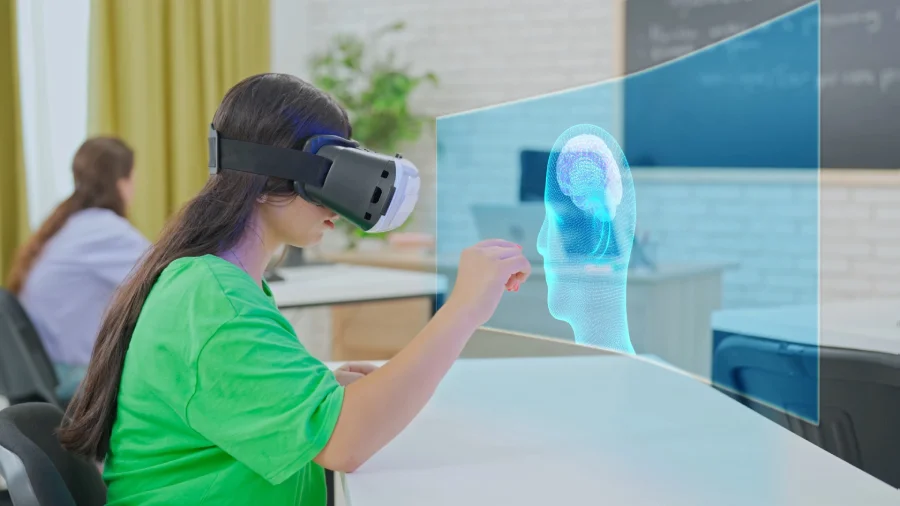
Building Accuracy into the Workflow
Our typical development workflow starts with deciding on a topic and a practice within that topic. Then our storyboarders research those topics to find how a certain task is done and if there is a set standard operating procedure or ruleset, coordinating with subject matter experts along the way to ensure accuracy.
Storyboarding and Subject Matter Review
Having stricter and clearly defined rules, in fact, makes development easier since it takes any guesswork out of the question. For example, something like a surgical scrub has a very strict order of operations and guidelines that very clearly define how we approach covering that. It can also inform art asset creation in the case of our HVAC simulations, where I had to take into account where each interior pipe led and what purpose it served, so that it makes sense if a particular type of leak was found at a certain spot.
Script, Voiceover, and Dialogue Trees
Once all the new functionality and art are complete, we finalize a script and add a voiceover to explain to the user any necessary steps or background information. For some simulations, the user is presented with a quiz or an NPC (Non-Player Character) to interact with. These dialogue trees are contained within the same script and just presented to the user depending on circumstances during the playthrough.
Matching Simulation Design to Learning Objectives
Depending on the learning objective, we have several different approaches to our simulations. For the above-mentioned tasks that have very clear and defined orders of operation, we refer to them as “tightly choreographed”. We conversely have fairly exploratory simulations where the user is told the rules or task and is set loose to experiment and make mistakes at their own pace. Lastly, we have ones that lean into the immersive nature of VR but are structured more as a presentation.
A tightly choreographed one would be our phlebotomy simulation. A sandbox/exploratory one would be our forklift simulation, where the user has the ability to take their own path to accomplish the task, or flip it over if they do something very wrong. A presentation type would be our blood components simulation, where a user is placed inside a blood vessel and views the different microbes, cells, and activities up close while the narrator explains what is happening.

Tim is a determined 3D Artist with 5 years of experience in 3D modeling, animation, texturing for film, 3D printing, and interactive games & media. At Magic EdTech, he and his team raise the bar for educational interactive media, making it more akin to video games with complex mechanics and visuals.
FAQs
Scalability is enabled by the reuse of resources and interaction logic, and the workflow that does not entail a complete rebuild of the project from the ground up. The ability to modify preexisting 3D models, scripted events, and special effects allows team members to focus more on the aspects unique to the new simulation environment.
Reuse speeds production, but teams still need to check whether the reused component fits the new context. A visual effect or interaction pattern may work across different subjects, but the details must still match the learner’s task and environment. The goal is efficient reuse without making the simulation feel generic or inaccurate.
A presentation-style simulation works best when the goal is observation, orientation, or close-up understanding rather than procedural practice. The blood components example fits this model because the learner is placed inside an environment they could not normally experience directly. This format lets VR create perspective and immersion without requiring every moment to be task-driven.
Teams often need support when they move from one-off simulations to a repeatable production model. Magic EdTech can help with the execution layer: reusable 3D asset creation, interactive workflows, scripts, voiceovers, and simulation structures aligned to learning objectives. This matters most when the product needs both creative fidelity and production efficiency.

Get In Touch
Reach out to our team with your question and our representatives will get back to you within 24 working hours.