
Designing Conversational UX: Humanizing the Classroom
- Published on: September 11, 2025
- Updated on: September 11, 2025
- Reading Time: 4 mins
-
Views
Working Conversational UX into EdTech
Why Conversational UX Matters
Students Think in Questions, Not Menus
It Feels Alive
It Opens Doors
It Gives Teachers Breathing Room
5 Practical Principles of Conversational UX
1. Talk Like a Human
2. Tie It to Learning
3. Cheer Them On
4. Recover Gracefully
5. Think Inclusive from Day One
Real Challenges in UX Design
Too Much Automation
Bias Sneaks In
Trust
Adding a Human Face
Looking Ahead
From Tools to Companions
Voice-First Learning
Students Teaching Back
FAQs
Most of us have experienced this: logging into an online learning tool, clicking through a maze of menus, and thinking, “Why does this feel so mechanical?” It works, but it rarely feels welcoming.
Now imagine if the platform simply lets you ask, “Where’s my homework?” And got a friendly answer back, like chatting with a helpful peer. That’s the heart of conversational UX. It’s not magic. It’s just designing tools that talk with us instead of at us.
For designers and product folks, the question isn’t whether this will shape EdTech because it already is. The question is: how do we make those conversations simple, supportive, and actually useful for learners?
Working Conversational UX into EdTech
In my personal experience, older edtech project rollouts always looked the same. First came a workshop for teachers. Then another round where teachers explained the app to students. Even after that, we had to pepper the interface with tooltips, “Help” icons, and long strings of instructions just so people could complete basic tasks. It worked, but it felt heavy.
When we tried conversational patterns, the weight lifted. Students jumped in without waiting for instructions. They asked a question, got an answer, and moved on. Teachers told me they no longer had to repeat themselves fifty times a week. And for us, as designers, we didn’t need to plaster hints everywhere. The conversation itself guided the learner.
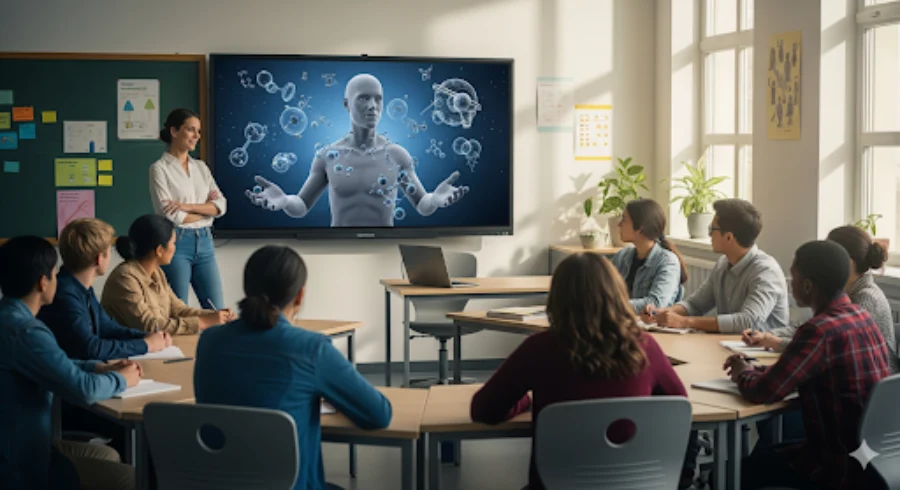
Why Conversational UX Matters
Students Think in Questions, Not Menus
I’ve sat with students who’d rather ask, “Why do plants need sunlight?” Then dig through a chapter outline. A conversational design makes space for that.
It Feels Alive
A back-and-forth chat holds attention in ways static text never can. Even a small “Want to try another example?” changes the energy.
It Opens Doors
A voice option or quick translation can make the difference for a student who struggles with reading or is learning in a second language.
It Gives Teachers Breathing Room
I’ve spoken with teachers who field the same “When is the quiz?” question 40 times a week. Automating that frees them for real teaching moments.
5 Practical Principles of Conversational UX
1. Talk Like a Human
No stiff error messages.
Instead of: “Authentication failed.”
Say: “That login didn’t work—want to try again?”
2. Tie It to Learning
Don’t just spit out answers.
Student: “What’s 6×9?”
Bot: “It’s 54. Want me to show you a trick to remember it?”
3. Cheer Them On
“Nice attempt—let’s figure it out together.”
4. Recover Gracefully
“Hmm, I didn’t catch that. Did you mean photosynthesis or respiration?”
5. Think Inclusive from Day One
Multilingual support, screen readers, text-to-speech—baked in, not bolted on.
Real Challenges in UX Design
Too Much Automation
Students shouldn’t lean on bots for every answer. The design should encourage thinking, not copying.
Bias Sneaks In
Test with students from different backgrounds. What feels “neutral” to one group may not to another.
Trust
Don’t trick learners. Be upfront that they’re talking to AI. Honesty builds credibility.
Adding a Human Face
A good example of conversational UX done right is HeyGen. Picture an avatar on-screen, smiling, gesturing, pausing to let you think. It feels less like software and more like a study buddy. Test with a small group of students, and you will see the difference will be striking. They will lean forward, respond more, and even crack jokes back at the avatar. It wasn’t perfect, but it felt alive. That’s the kind of warmth good conversational UX can bring.
Looking Ahead
From Tools to Companions
Bots that coach reflection, not just give answers.
Voice-First Learning
With smart speakers everywhere, spoken learning will only grow.
Students Teaching Back
Some platforms already let students “teach” the bot, a surprisingly powerful way to lock in knowledge.
For me, conversational UX is not about making bots look human. It’s about softening the rigid feel of software and making learning tools act more like a partner. When it works, it must do more than give answers; it must build confidence and keep curiosity alive.
We’ve already reached the stage where people expect this kind of interaction. The next step will be tools that feel smarter, speak multiple languages naturally, and fit into everyday routines without effort.
What I hope you take away is this: good conversational design isn’t just theory. It solves very real problems like teachers wasting hours on repetitive questions, students dropping out because the UI speaks the wrong language, and products weighed down by endless tooltips. If you’ve only seen chatbots as a “nice to have,” you now know they can actually reduce onboarding, cut support load, and improve engagement when designed with care. That’s the difference between a novelty feature and a real shift in how EdTech works.

Parasmani is a UX Strategist at Magic EdTech with over 14+ years of experience. He is a strong advocate of user-centric design and has been at the forefront of integrating AI into EdTech solutions. His focus is on creating intuitive, inclusive, and impactful learning experiences that reduce friction for learners, empower educators, and deliver measurable results for institutions.
FAQs
Begin with one high‑volume, low‑risk task (e.g., “When is the quiz?” or “Where’s my homework?”). Connect the bot to your assignments, calendar, and gradebook, pilot with one class, and track deflected teacher questions and time‑to‑answer.
Design the bot to guide, not give away answers: return hints, steps, or worked examples; ask follow‑ups; and gate direct answers behind an attempt. Escalate deeper help to the teacher when needed.
Use concrete signals: first‑contact resolution, task completion rate, teacher question deflection, repeat usage, and CSAT. For learning impact, track error reduction and time‑on‑task across units.
Be explicit that replies come from AI, cite the source (“Module 2, Slide 12”), log interactions for review, test with diverse student groups, and provide a one‑click “flag this answer” with fast human follow‑up.
Ship multilingual support, voice input/output, plain language, and full WCAG 2.2 support (focus order, labels, captions). Validate with screen readers and real learners who use assistive tech before broad release.

Get In Touch
Reach out to our team with your question and our representatives will get back to you within 24 working hours.